
Canvas
Canvases that stop the scroll.
Spotify plays your Canvas behind your song on every phone. Make one in minutes from your cover art or a clip, let it react to your song and export a perfect loop.
- MP4, 3 to 8 seconds
- Seamless loops
- No account
Templates
Start from a look. Make it yours.
Hover to preview. Open one in the Studio, then drop in your cover art and it restyles your image.
-
Sunset vinyl
Your cover spinning on a record, dust in the light.
-
Ember card
A floating card with embers rising on the beat.
-
Rain window
Cool, moody rain over a slow 3D drift.
-
Snow globe
Soft snow falling around a glowing card.
-
Golden hour
Warm light leaks drifting across the frame.
-
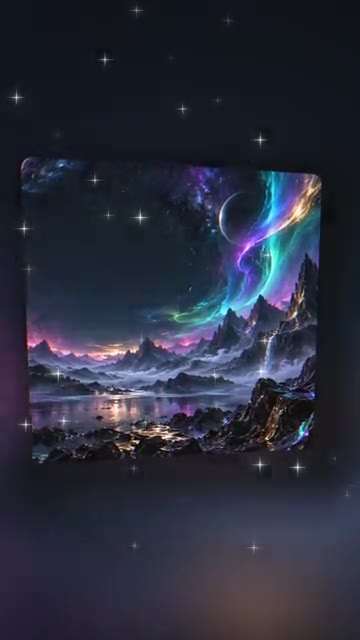
Neon sparkle
A card that bumps on the beat, sparkles all around.
-
Deep dream
Hazy glow and floating bokeh.
-
Static card
Old TV lines on a floating card.
-
Club vinyl
A spinning record with a pulse on every beat.
-
Noir rain
Black and white, grain and rain.
-
Kaleido bloom
A turning kaleidoscope with soft bokeh.
-
Temple embers
Heat haze and embers over a 3D scene.











How it works
Three steps. Eight seconds.
Pick a clip
Drop in your cover art and get a ready-made design: a floating card or spinning vinyl over a blurred copy of it. Or start from our library, free stock video or your own footage.
Add a look
Rain, snow, dust, embers, sparkles, bokeh and light leaks, plus strobe, mirror, glitch and old TV. Add your song and the tempo is found for you; it plays along while you edit and never leaves your device.
Export and upload
Export an MP4 in seconds: 720×1280 free, 1080×1920 with Full Access. Every frame is drawn to loop, so there is no jump between plays.
Made for the player
See it the way fans will.
Turn on the player overlay to preview your Canvas behind the song title and controls, with a guide that shows where your important details stay visible.
- Safe-zone guide for faces, logos and text
- Three loop types: smooth, hard cut and rebound, with a seam check
- Reacts to your song's own bass, with your logo on top
- Your footage never leaves your device
Give every song a moving cover.
Free and unlimited. Full Access removes the watermark and exports 1080 × 1920.