
Drum and bass visualizer
Keeps up at 170.
Fast breaks need fast visuals. Lower the smoothing, aim layers at the snare and the sub, and export a video as sharp as your track, from liquid to neuro.
- Free, unlimited exports
- Fast, sharp reactions
- No account
Templates
Hover to hear them react.
-
Use
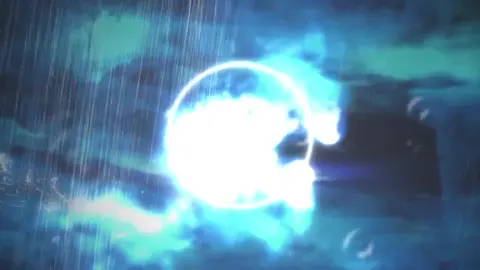
Stormfront
Level 4 · Experimental · 13 layers · 2 scenes
- 2 scenes: the storm builds, then breaks
- Real lightning footage
- Rain that thickens with the music
A storm cloud lights up from inside, then breaks: real lightning, sheets of rain and bolts striking on the snares.

How it works
Three steps. No render queue.
01
Load the track
Any audio file. Nothing is uploaded.
02
Sharpen it
Lower Smoothing so layers snap to every break, set one layer to Beat for the snare and another to Bass for the rolling sub.
03
Export
Export the full tune in 16:9, or "The drop, 15 s" vertical for TikTok.
Good to know
What you get, plainly.
- Low Smoothing makes layers snap to fast breakbeats
- Abyssal suits liquid; Stormfront and Overload suit neuro and jump-up
- Particles that burst on every snare hit
- Every size is free: landscape 16:9 for YouTube, vertical 9:16 for TikTok, Reels and Shorts, square 1:1 for posts. Free videos are 720p with a small watermark; Full Access ($4.99 once) removes it and adds 1080p.
FAQ
Questions, answered.
Will it keep up with fast breaks?
Yes. The analysis runs every frame. Lower Smoothing for snappier movement.
Liquid or neuro, which template?
For liquid try Abyssal or Dusk Flight with soft settings. For neuro or jump-up try Stormfront or Overload with Beat shake.
Can I show the track name and label?
Yes, with text layers, in 20 fonts, with outline and letter spacing.
Is it really unlimited?
Yes. Free exports have no limit. They are 720p with a small watermark.
Is my music uploaded anywhere?
No. Your track is played and analysed by your own browser and the video is recorded on your device. Your audio never reaches our servers.
More ways to use Vzualiz
- Free music visualizer maker
- Visualizer videos for YouTube
- Vertical videos for TikTok and Reels
- Spotify Canvas maker
- Vzualiz vs Specterr
- Lyric video maker
- Type beat video maker
- Turn cover art into a video
- Online audio visualizer
- Podcast audiogram maker
- Sound wave video maker
- Visualizers for Instagram
Visualizers by genre
Try it on your next release.
Free and unlimited, no account. $4.99 once removes the watermark.