
Hip-hop visualizer
Your bars, on screen.
Rap fans want the words. Put your cover art in the middle, time your lyrics by tapping along, and export a video that hits with the drums, for YouTube, Shorts and Reels.
- Free, unlimited exports
- Timed lyrics
- Your cover art in the center
Templates
Hover to hear them react.
-
Use
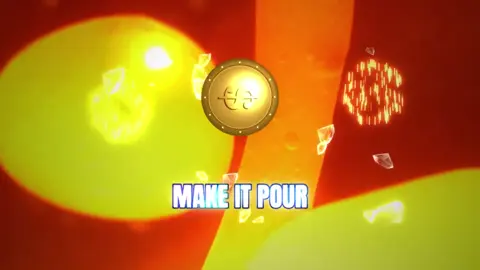
Paper Chase (lyric video)
Level 5 · Music video · 21 layers · 4 scenes
- Lyrics that jump on every kick
- 4 scenes of gold and cash
- Gold coin emblem
A lyric video about money: a clock made of gold coins, cash raining on the drop, stacks being counted.
-
Use
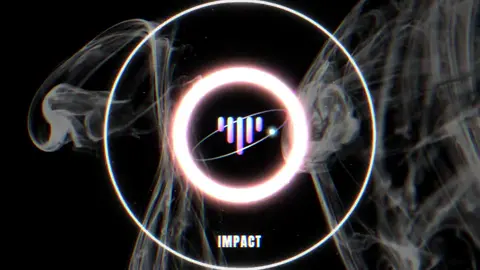
Logo Impact
Level 2 · Creative control · 8 layers
- Your logo, big
- Outline 2 → 25-55 on kicks
- White smoke footage
Your logo, large and dead still, while the smoke, the light and the outline around it explode on every hit.
-
Use
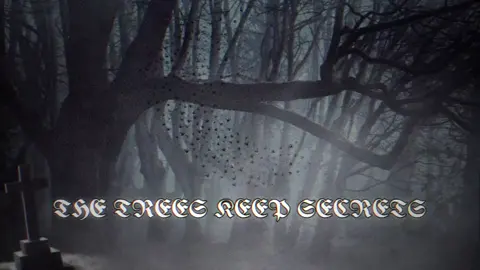
Memento Mori (lyric video)
Level 5 · Music video · 19 layers · 4 scenes
- Gothic lyrics that breathe
- Candle, forest, skull, smoke
- Crows that scatter on snares
A lyric video about death: one candle, a forest full of crows, a skull by candlelight and the smoke after.
How it works
Three steps. No render queue.
Load the song
Your track stays on your computer.
Add your art and lyrics
Use "Build my visualizer from cover art", then add a Lyrics layer and tap Space as each line starts.
Export
Export the full song in 16:9 for YouTube and a 9:16 hook for Shorts and Reels.
Good to know
What you get, plainly.
- Timed lyrics in four styles: pop, fade, typewriter and karaoke fill
- Your cover art in the center, with a background built from its colors
- Thumbnail maker for a matching YouTube thumbnail
- Every size is free: landscape 16:9 for YouTube, vertical 9:16 for TikTok, Reels and Shorts, square 1:1 for posts. Free videos are 720p with a small watermark; Full Access ($4.99 once) removes it and adds 1080p.
FAQ
Questions, answered.
How do I add lyrics?
Does it transcribe my vocals?
Can I make a YouTube thumbnail too?
Can I use a photo of another rapper?
Is my music uploaded anywhere?
More ways to use Vzualiz
- Free music visualizer maker
- Visualizer videos for YouTube
- Vertical videos for TikTok and Reels
- Spotify Canvas maker
- Vzualiz vs Specterr
- Lyric video maker
- Type beat video maker
- Turn cover art into a video
- Online audio visualizer
- Podcast audiogram maker
- Sound wave video maker
- Visualizers for Instagram
Visualizers by genre
Try it on your next release.
Free and unlimited, no account. $4.99 once removes the watermark.